Starting procedure
When you use an Android™ application in the compatible Pioneer product, you first must switch the compatible Pioneer product to AppRadio Mode.
1 Connect the smartphone.
To use the applications in AppRadio Mode, the Android connection must first be authenticated. Follow the on-screen instructions.
To use the CarMediaPlayer in AppRadio Mode, the smartphone and the compatible Pioneer product must be connected via Bluetooth connection and cable connection.
If only the cable is connected, the same screen as on the Android device will be displayed on the compatible Pioneer product, but operation from the compatible Pioneer product will not be available.
The same functions can be used independently on the smartphone.
2 Launch the CarMediaPlayer from the menu screen of AppRadio Mode.
The CarMediaPlayer screen will be displayed on the compatible Pioneer product.
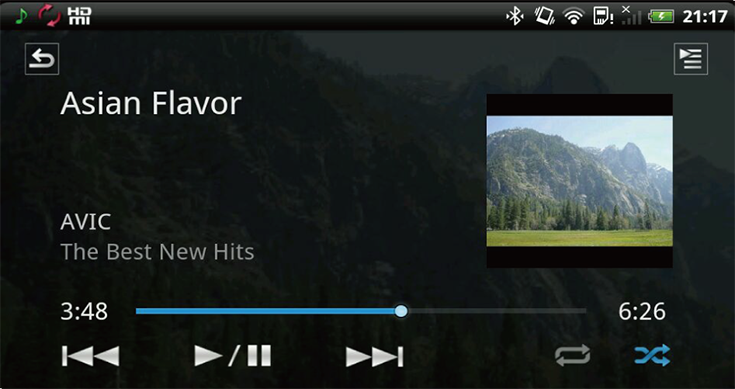
Playback screen for music file

Playback screen for video file
The operation panel will not be displayed on the screen of the compatible Pioneer product.
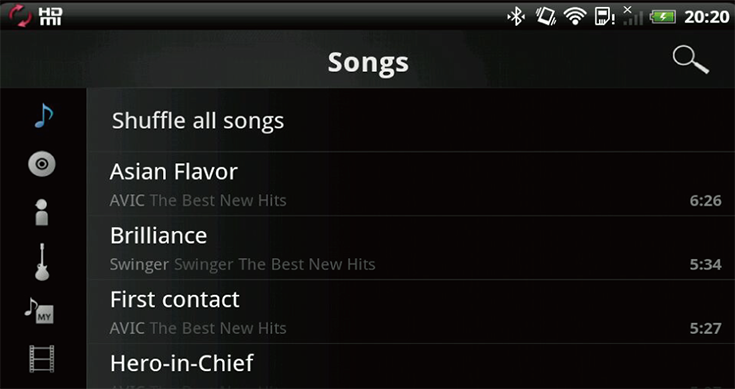
List screen
There must be at least one file stored on the smartphone to use this application.
When you press the Home button of the compatible Pioneer product, the AppRadio app home screen is displayed. To display the main Home screen of the compatible Pioneer product, press the Home button again.