Selecting a music file from the list
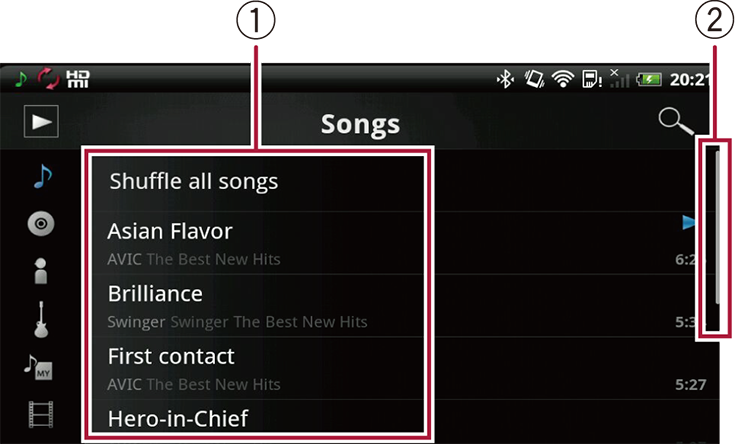
 Music List
Plays music files on the tapped list.
Touching and holding the playlist lets you edit the list.
Creating a new playlist
Adding to playlist
Removing from playlist
Renaming playlist
Deleting playlist
To edit text information on the compatible Pioneer product, you need the CarKeyboard application to display the keyboard.
CarKeyboard can be downloaded from Google Play. For details of CarKeyboard, refer to the manual of the app.
 Scroll bar
Drag the scroll bar to view any hidden items.
 | Displays the playback screen. |
 | Displays the search screen. |
 | Displays the song list. |
 | Displays the album list. |
 | Displays the artist list. |
 | Displays the genre list. |
 | Displays the playlist. |
 | Displays the video list. |
 | Changes the order of the songs in the list by dragging. |