Introduction of music playback operations
The playback screen will be displayed and a file will play back when you select a file from the list.
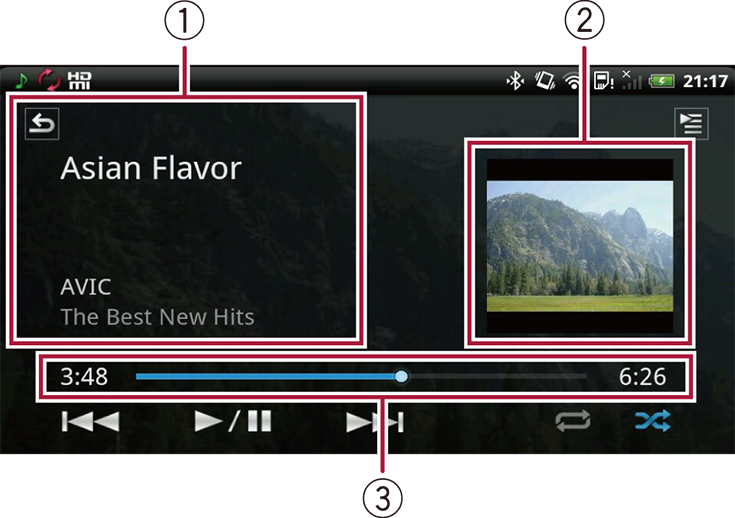
 Current song information
Following informations are displayed:
Song title
Artist name
Album title
 Album artwork
Album artwork will be displayed.
 Play time
Play time of the music file will be displayed. You can specify the playback point by dragging the scrubber bar.
 | Displays the previous screen. The Back button on the compatible Pioneer product also displays the previous screen. |
 | Displays the temporary editable list (Now playing). |
 | Plays music files randomly. |
 | Repeats the music file now in playback. The repeat range will change as follows each time you tap the key. Repeats the currently playing music file — Repeats all music files on the current list — Stops repeating |
 | Tapping the key switches between playback and pause. |
  | Tapping Touching and holding the key starts fast forward. Tapping Touching and holding the key starts fast reverse. |

